Achieve Pixel-Perfect Designs Every Time
Pixel Perfect Pro is the ultimate browser extension for designers and developers to ensure your implementation matches your design — down to the last pixel.
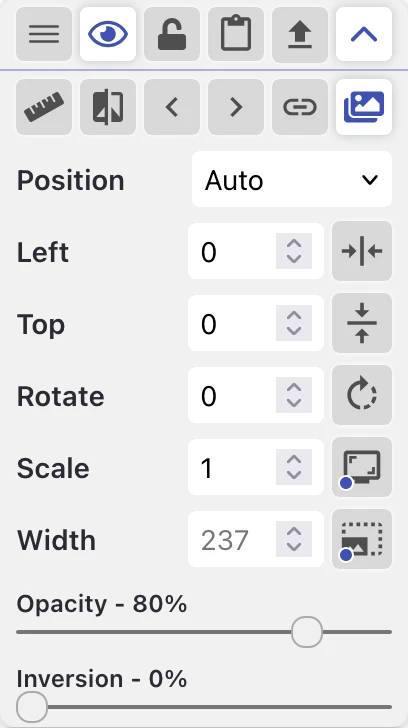
Everything you need for pixel-perfect design
Pixel Perfect Pro provides all the tools you need to ensure your implementation matches your design perfectly.
Blend Modes
Set Difference and every pixel that differs from your design lights up. Multiply, Overlay, Screen, and Exclusion included.
Visual Comparison
Side-by-side and onion skin comparison modes to catch every detail.
Column Grid Overlay
Bootstrap, Tailwind, and Material presets — or set custom columns, gutters, width, offset, color, and opacity.
Unlimited Layers
Stack multiple design layers to manage complex layouts and compare different design elements.
Ruler
Integrated ruler tool provides accurate measurements for correctly sized and spaced elements.
Alignment & Scaling
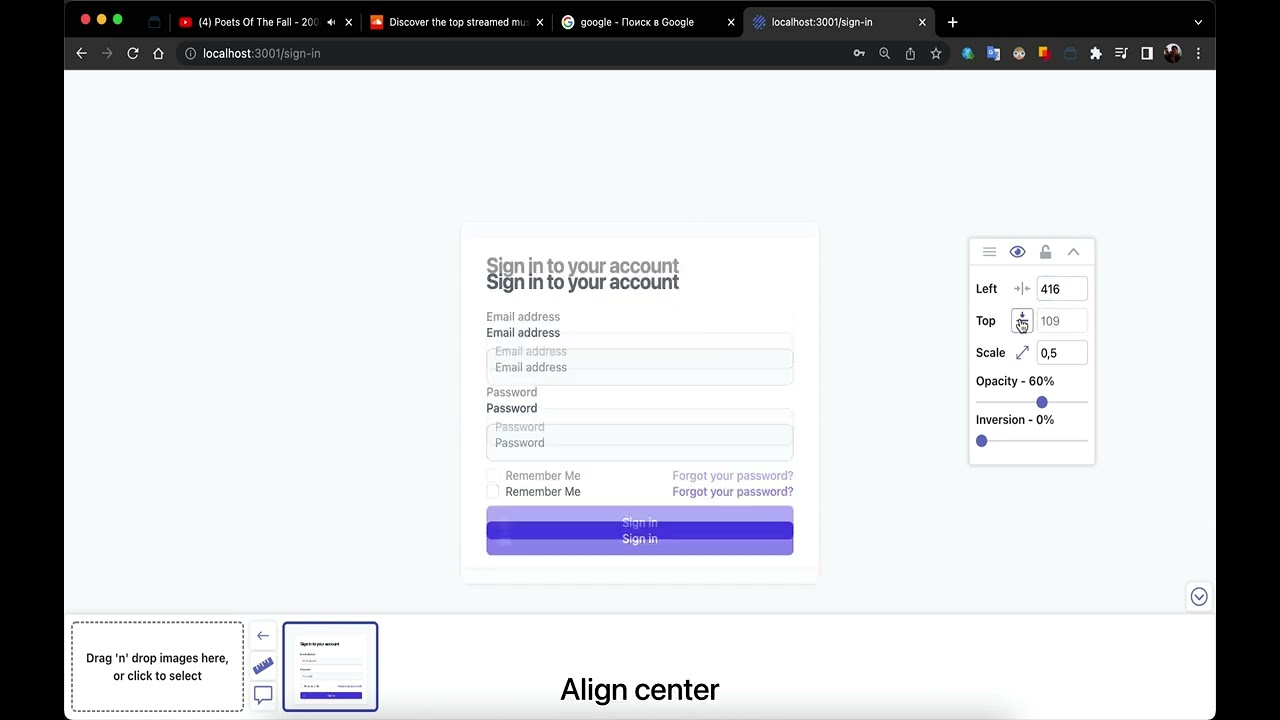
Center overlays horizontally or vertically, then invert and scale them for precise adjustments and layout testing.
Customizable Hotkeys
Fine-tune positioning with keyboard arrows and mouse wheel — and rebind every shortcut to fit your workflow.
Iframe Overlay Support
Inject overlays into iframes to work with embedded content and complex page structures.
Interactive Tour
Add your design and get walked through every control — replay the tour any time from the gallery footer.
Simple, powerful workflow
Get started in minutes and transform your design implementation process.
Upload Your Design
Import your design file as a PNG, JPG, or WEBP — drag and drop right onto the page.
Overlay & Adjust
Position your design over your implementation, adjust opacity, and pixel-nudge with arrow keys.
Fix & Perfect
Spot every discrepancy and ship a pixel-perfect match with confidence.
See it in action
Watch our video tutorial to see how Pixel Perfect Pro can transform your design workflow.
Loved by designers & developers
See what our users have to say about Pixel Perfect Pro.
“Great app! Consider picking it up if you're doing pixel perfect designs!”

Seane-Clyde Laurel
Verified user
“Smoothly working.... thankyou developer man...for this nice work...”

Ariful Islam Ashik
Verified user
“Perfect :) It's a really great tool.”

Roman Demin
Verified user
Frequently Asked Questions
Pixel Perfect Pro is a browser extension that helps designers and developers achieve pixel-perfect accuracy when implementing designs. It allows you to overlay design mockups (PNG, JPEG, etc.) directly on top of your webpage, adjust opacity and position, and compare your implementation with the original design in real-time.
Yes! Pixel Perfect Pro is completely free to download and use. All features are available at no cost. We offer optional donations via Buy Me a Coffee to support continued development, but the extension will always remain free for everyone.
Pixel Perfect Pro is available for Chrome, Firefox, Edge, and other Chromium-based browsers. You can download it from the Chrome Web Store or Firefox Add-ons marketplace. The extension works identically across all supported browsers.
Click the Pixel Perfect Pro icon in your browser toolbar to open the extension. Use the 'Upload Image' button to select your design file. Once uploaded, you can drag the image to position it, adjust opacity with the slider, lock/unlock position, and use arrow keys for precise pixel-by-pixel adjustments.
Currently, Pixel Perfect Pro supports one overlay image per page. However, you can quickly switch between different design mockups by uploading a new image. The extension remembers your settings (opacity, position) for each website you visit.
Yes! The overlay stays in position when you resize your browser window, making it perfect for testing responsive designs. You can upload different mockups for mobile, tablet, and desktop breakpoints and switch between them as needed.
No! Pixel Perfect Pro is designed to be lightweight and efficient. The overlay only activates when you enable it, and it doesn't run in the background when not in use. It won't affect your browser's performance or the loading speed of websites.
Absolutely! Pixel Perfect Pro works perfectly with localhost, local development servers (like http://localhost:3000), and any URL you can access in your browser. This makes it ideal for development workflows.
We love hearing from our users! You can report bugs, request features, or provide feedback through our Contact page or directly via email at pixelperfectpro.br.extension@gmail.com. We actively maintain and improve the extension based on user feedback.
Yes! Your uploaded images are stored locally in your browser only. Nothing is sent to external servers. Your designs remain completely private and secure on your device. We don't collect, store, or transmit any of your design files or browsing data.
Ready to perfect your designs?
Join thousands of designers and developers shipping pixel-perfect implementations.
Available on the Chrome Web Store and Firefox Add-ons.